Schedule your team in minutes, not hours.
A visual, drag-and-drop shift calendar that automatically catches conflicts, respects approved leave, and lets you copy entire work weeks with a single click.
Built for fast-moving teams.
Designed to save managers time.
Drag-and-Drop Editor
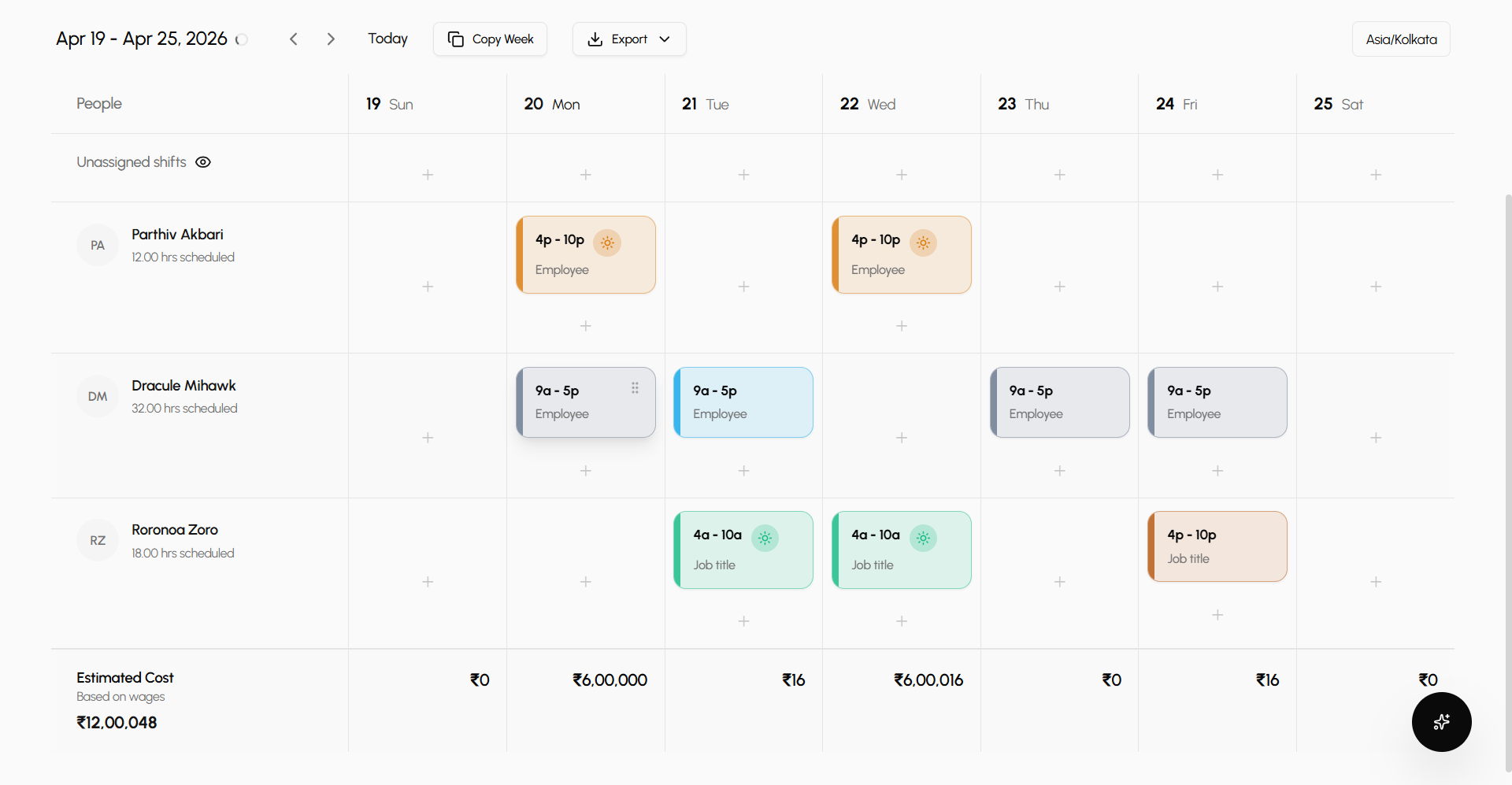
Build schedules visually. Drag shifts across days or between employees. Creating, moving, and reassigning work takes seconds without touching a spreadsheet.
Smart Conflict Prevention
Never double-book again. The system automatically warns you if a shift overlaps with another shift, approved leave, or logged unavailability.
Copy Entire Weeks
Why rebuild predictable schedules? Instantly copy an entire week's shifts forward to the next week, keeping your operations moving smoothly.
Visual scheduling
A clear view of everyone's work week.
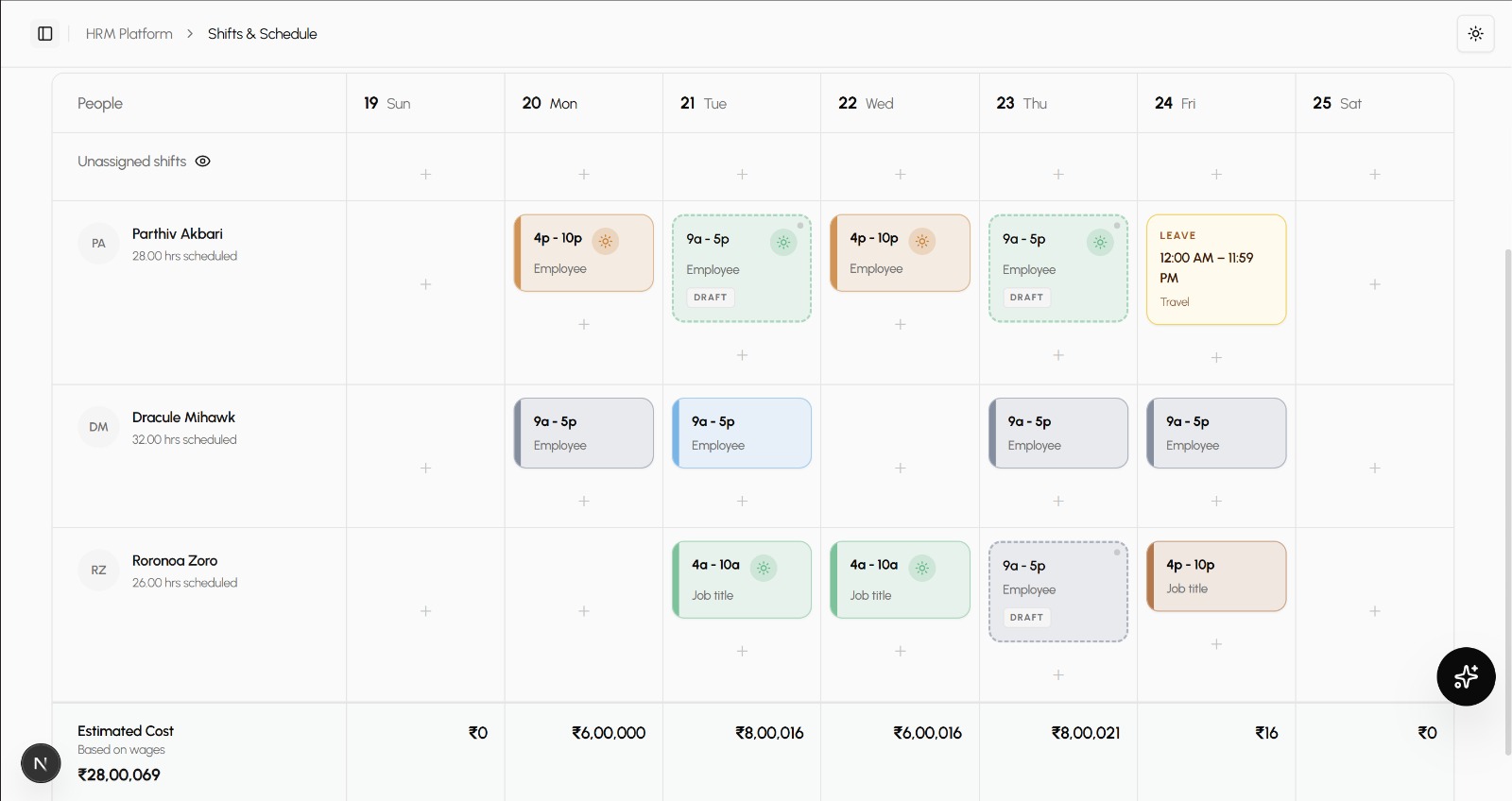
Say goodbye to confusing text lists. The visual scheduler gives managers a bird's-eye view of staff coverage, shift distribution, and total weekly hours across the entire team.
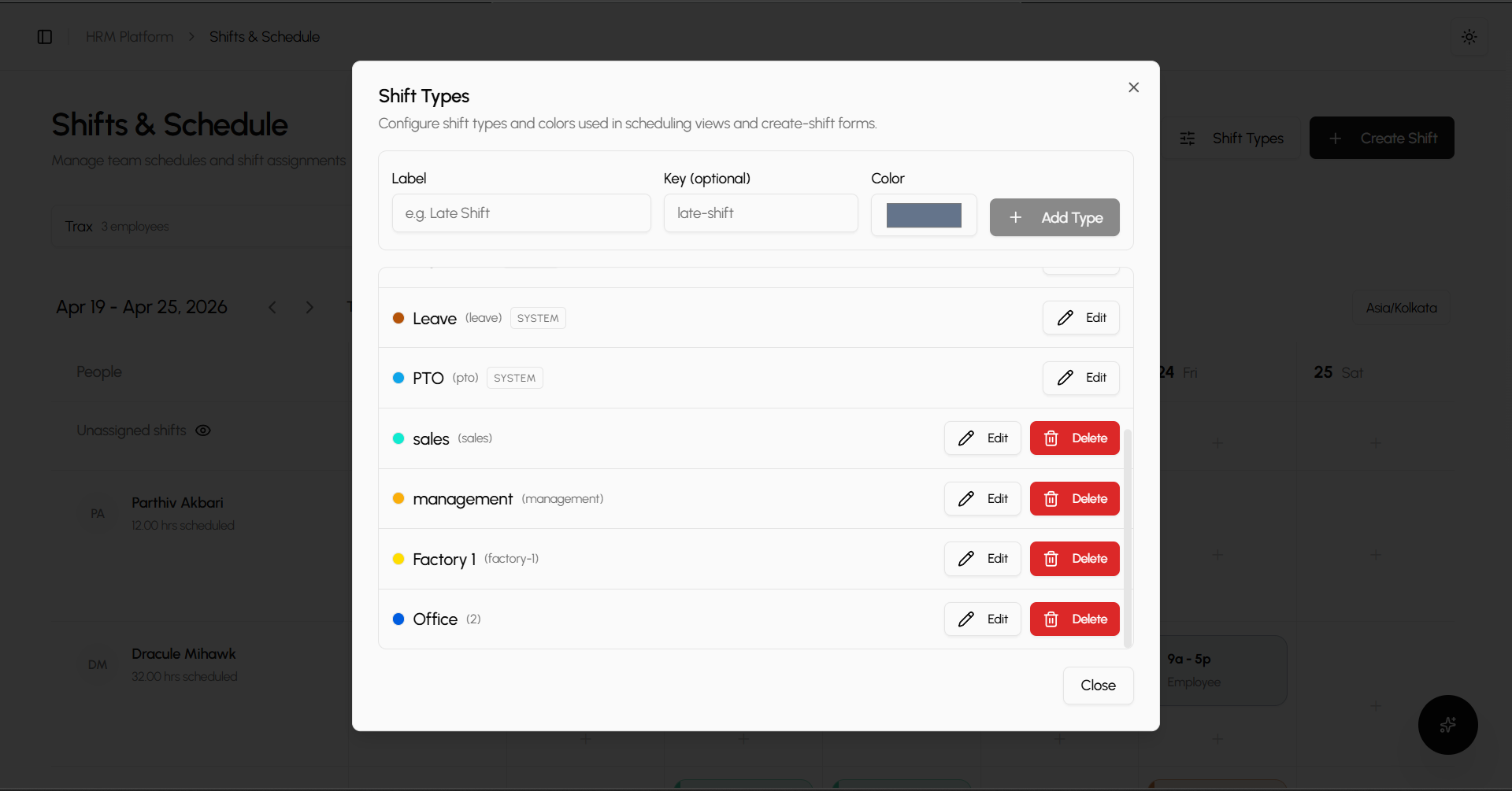
Color-coded shift types
Create custom shift types (Morning, Evening, Night) with distinct colors so you can understand coverage at a single glance.
Total hours & cost summaries
See automatic calculations of total scheduled hours per employee per week, directly under their name on the grid.
Keyboard shortcuts
Power users can work faster with built-in command palettes and keyboard shortcuts for copying, pasting, and publishing shifts.
Scheduling groups
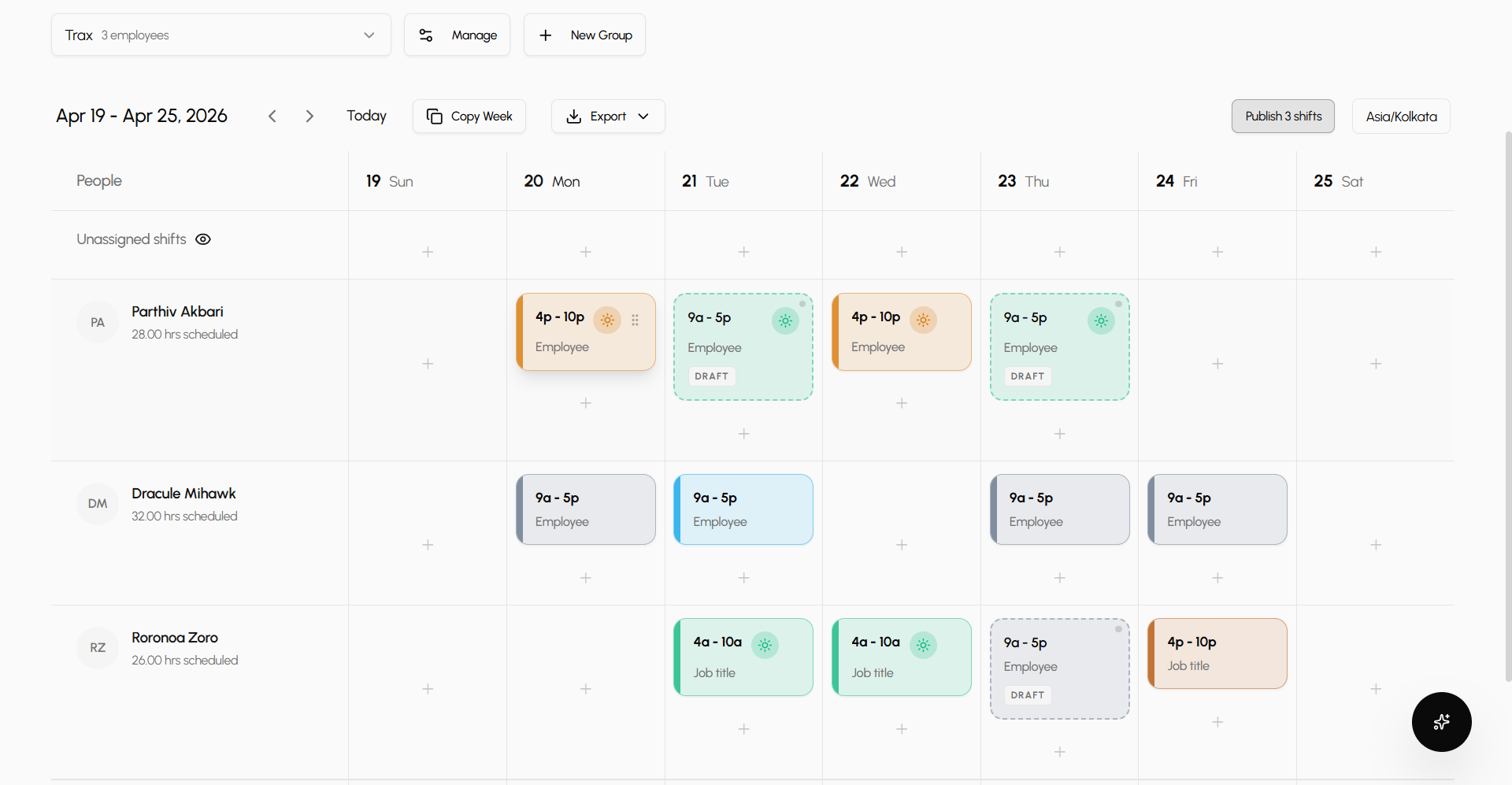
Organize schedules by location or department.
Don't crowd a hundred employees onto one screen. Organize your workforce into scheduling groups based on physical locations, departments, or specific functional teams.
Isolated scheduling views
Switch effortlessly between different scheduling groups (e.g., 'Front Desk' vs 'Kitchen'). Each group manages its own dedicated shift calendar.
Unified "All Groups" overview
Upper management can toggle to an "All Groups" read-only view to see company-wide coverage across all locations on one unified grid.
Unassigned shifts
Need coverage but don't know who yet? Create shifts in the unassigned row, then drag them to specific workers when you finalize the roster.
Smart validation
Schedules that respect time off.
Your schedule is deeply connected to your HR data. Every time you assign or move a shift, Saral cross-checks it against attendance records, preventing costly scheduling errors.
Leave block integration
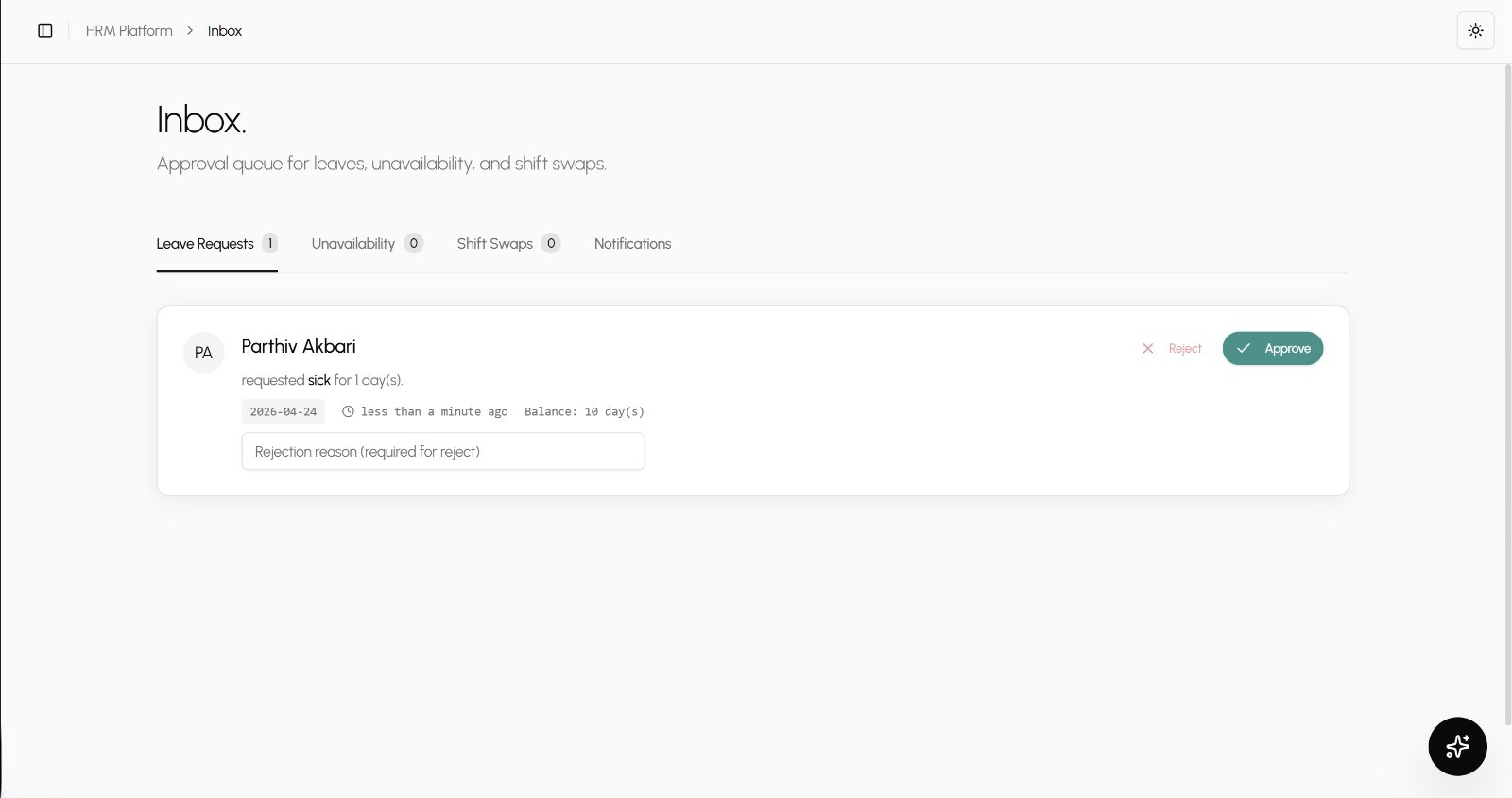
Approved employee leaves appear visually on the schedule grid as blocked-out periods (e.g., "Half-day Leave" or "Sick Leave").
Overlap warnings
If you drag a shift onto a day where an employee already has overlapping hours or approved unavailability, the system instantly blocks the move and alerts you.
Draft vs. Published
Work on your schedule privately. Shifts remain in 'draft' mode until you click Publish, which finalizes the roster and notifies your team.
Scheduling FAQ