Your People, One Source of Truth.
Employee directory, departments, org charts, and smooth onboarding — all connected. Build your team structure once, and Saral keeps it organized as you grow.
Everything about your team.
In one searchable place.
Employee Directory
A single, searchable hub for every team member — names, roles, departments, contact details, and employment status at a glance.
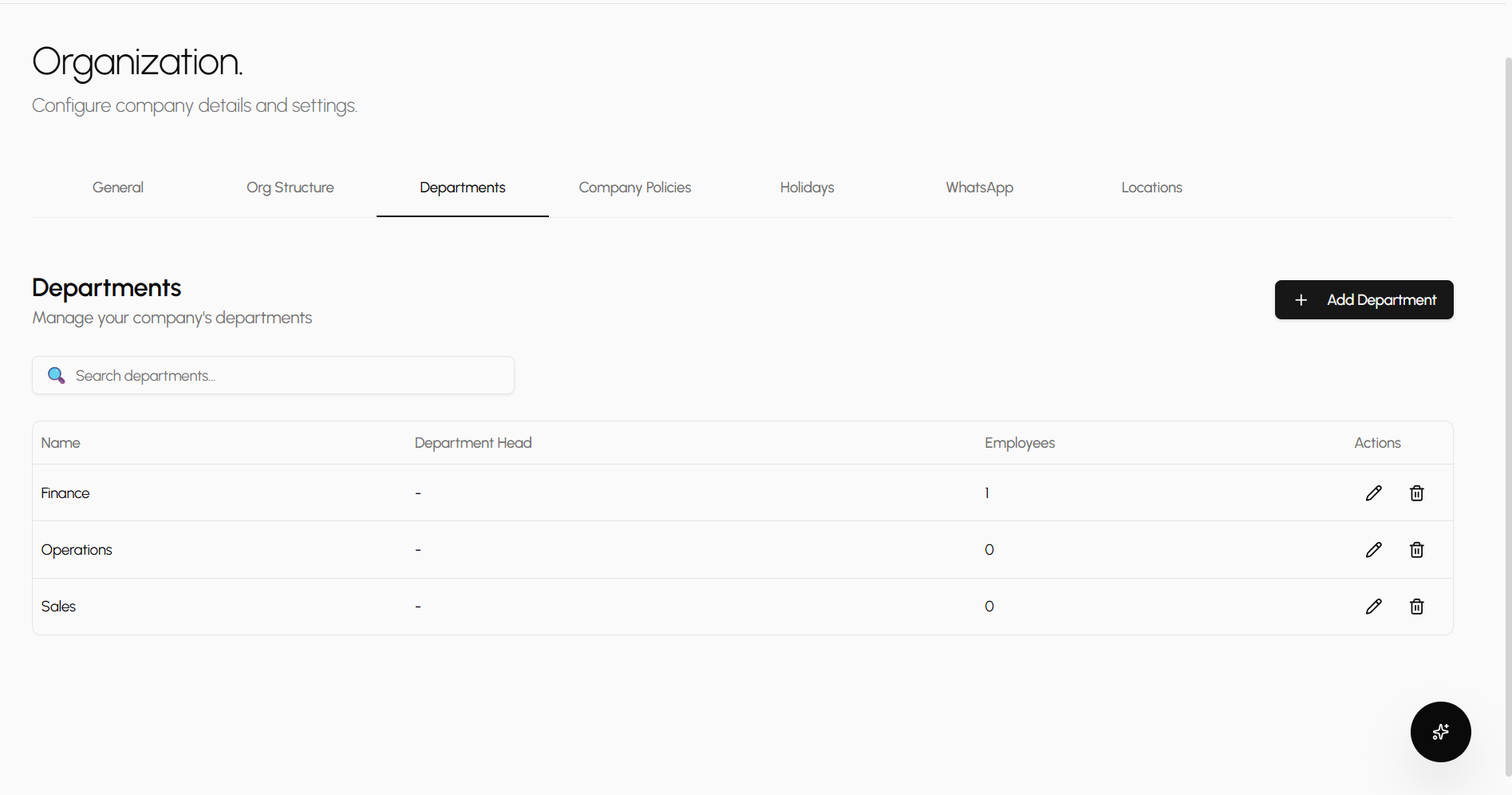
Departments & Locations
Create departments, assign heads, map office locations, and track headcount per unit. Restructuring takes one click, not a spreadsheet.
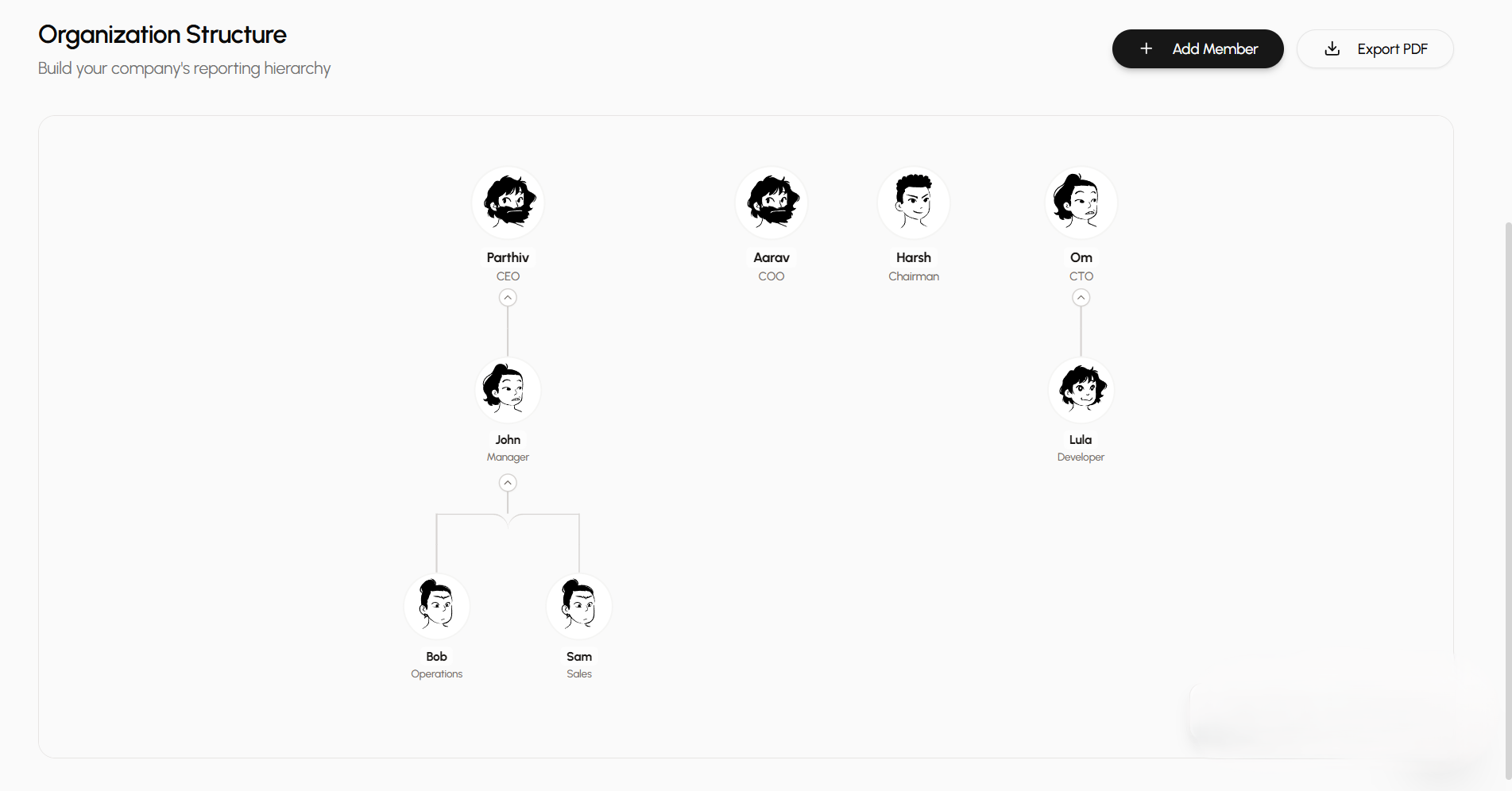
Visual Org Chart
See your entire reporting hierarchy at a glance. Add members, reassign managers, and zoom into any branch — all from one interactive tree.
Employee profiles
Rich profiles for every team member.
From personal details and job history to bank info and emergency contacts — Saral gives every employee a comprehensive, tabbed profile. HR sees the full picture without opening a single spreadsheet.
Multi-tab layout
Overview, personal, employment, financials, documents, and system settings — each section organized in its own tab for fast navigation.
Role & department tracking
Track designations, reporting managers, employment type, and department assignments with clear badge indicators.
Emergency & document storage
Store emergency contacts, identity documents (Aadhar, PAN), and keep a clear audit trail of every change.
Company structure
Departments, locations, and policies — set up in minutes.
Define your company identity, create departments with designated heads, manage multi-location offices, and configure work policies — all from one admin hub.
Departments with heads
Create departments, assign department heads from your employee list, and see headcount updates automatically.
Multi-location support
Add offices with full addresses, mark headquarters, and let employees tag their work location.
General settings & identity
Set your company name, logo, industry, timezone, currency, and fiscal year start — all from one settings panel.
Visual hierarchy
An interactive org chart that scales with you.
Map your full reporting structure visually. Add members, assign reporting lines, and let your HR team and employees understand who reports to whom — at every level.
Drag-and-drop hierarchy
Add org chart members with avatars, assign roles, and wire up reporting relationships. Changes update the tree in real time.
Zoom and auto-fit
Interactive controls let you zoom in on specific branches or auto-fit the entire chart to your screen, regardless of company size.
Multi-workspace support
Run multiple companies or business units from one account. Switch between workspaces, join via invite code, or create new ones on the fly.
Policies & holidays
Rules your team can count on. Holidays they look forward to.
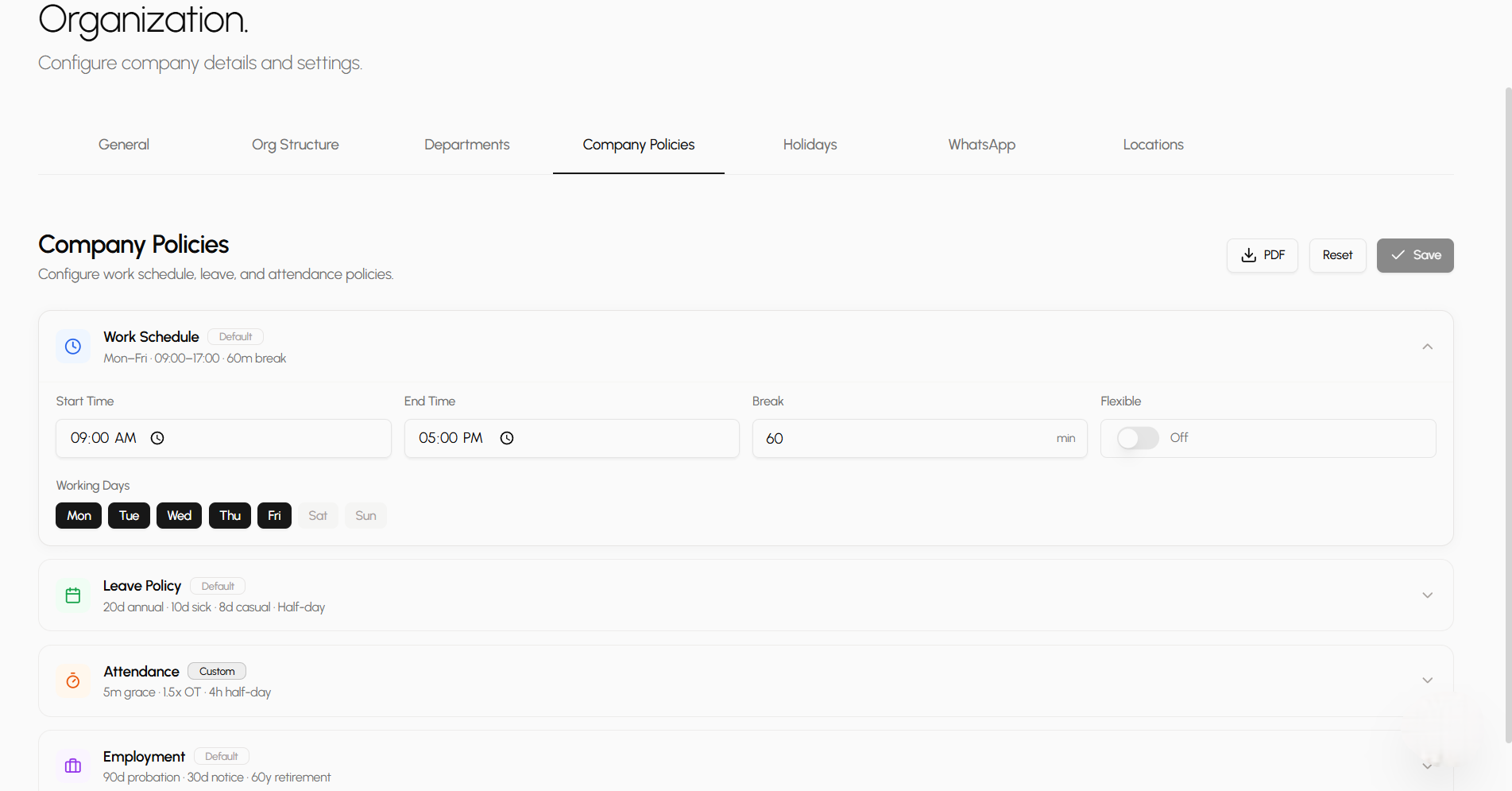
Configure every work rule — from shift timings to leave quotas — in one place. Then layer in your holiday calendar so attendance, leave, and payroll all stay in sync automatically.
Work schedule & attendance rules
Define start/end times, working days, break duration, flexible hours, late-grace period, overtime multiplier, half-day threshold, and auto-absent timeout. Every rule flows into attendance calculations automatically.
Leave & employment policies
Set annual, sick, casual, earned, and unpaid leave quotas. Control carry-forward limits, half-day leaves, probation restrictions, and encashment. Configure probation period, notice period, and retirement age for employment terms.
Holiday calendar with presets
Add holidays manually or load country-specific defaults (India — Republic Day, Holi, Diwali, Christmas). Each holiday has a start date, end date, and duration badge. Search, sort, bulk-select, and bulk-delete from a full-featured holiday table.
People & Org FAQ